
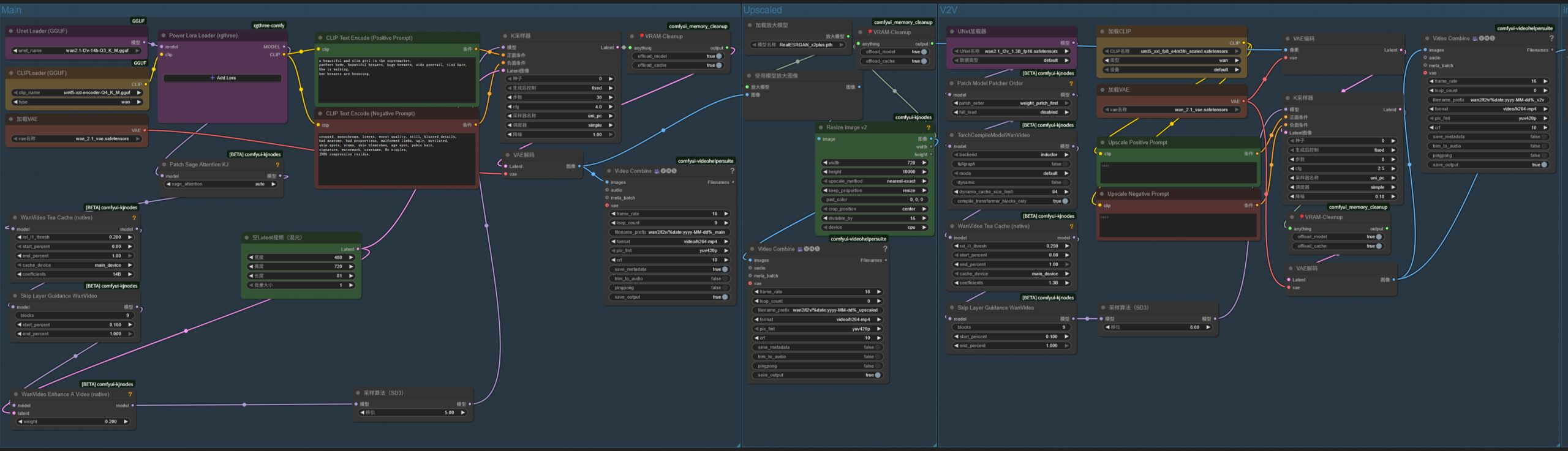
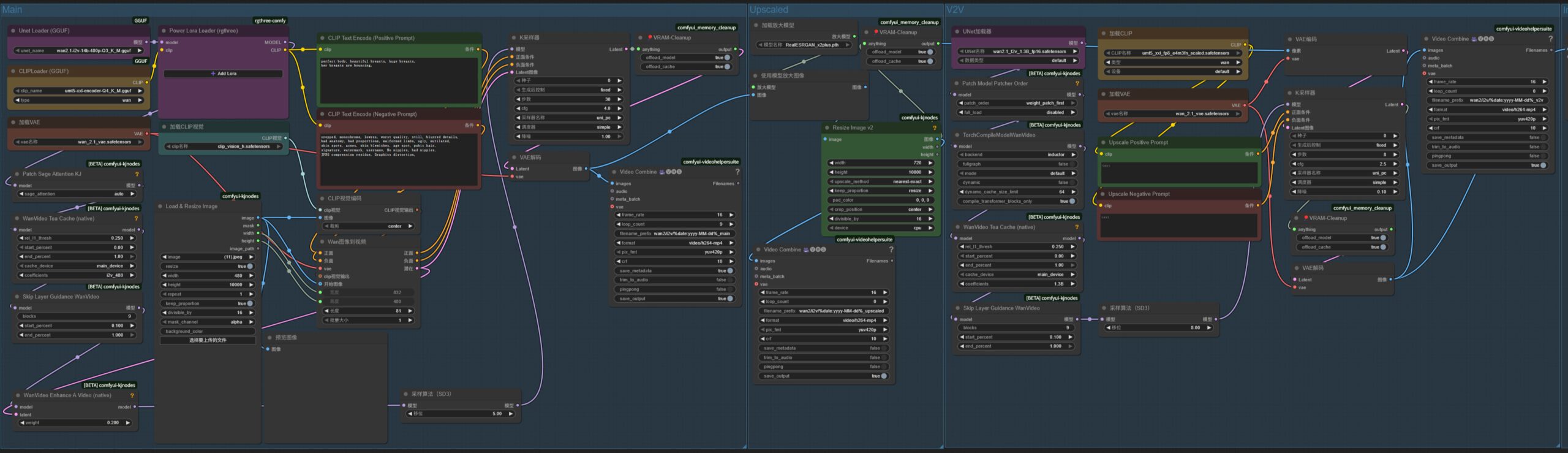
最近在玩通过ComfyUI使用Wan2.1模型生成视频。参考多个工作流,自己制作了一个,这里分享下。
ComfyUI安装简单,到官网下载安装程序直接下一步安装即可。
工作流下载:wan2-video-v1。
压缩包中包涵2个工作流文件:
- Wan 2.1 T2V(文生视频): wan2-t2v-upscale-v1.json
- Wan 2.1 I2V(图生视频): wan2-i2v-upscale-v1.json
官方原本的模型文件太大,一般电脑加载不了,工作流使用了GGUF loader来加载其他人重新量化分享的GGUF模型,使之可以在4060 8G的显卡上也可以运行。
需求
模型:
- wan2.1-t2v-14b-Q3_K_M.gguf (T2V) Put in: ComfyUI\models\unet
https://huggingface.co/city96/Wan2.1-T2V-14B-gguf/resolve/main/wan2.1-t2v-14b-Q3_K_M.gguf - wan2.1-i2v-14b-480p-Q3_K_M.gguf (I2V) Put in: ComfyUI\models\unet
https://huggingface.co/city96/Wan2.1-I2V-14B-480P-gguf/resolve/main/wan2.1-i2v-14b-480p-Q3_K_M.gguf - wan2.1_t2v_1.3B_fp16.safetensors (t2v model, used in workflow “v2v”) Put in: ComfyUI\models\diffusion_models
https://huggingface.co/Comfy-Org/Wan_2.1_ComfyUI_repackaged/resolve/main/split_files/diffusion_models/wan2.1_t2v_1.3B_fp16.safetensors - umt5-xxl-encoder-Q4_K_M.gguf (CLIP) Put in: ComfyUI\models\text_encoders
https://huggingface.co/city96/umt5-xxl-encoder-gguf/resolve/main/umt5-xxl-encoder-Q4_K_M.gguf - umt5_xxl_fp8_e4m3fn_scaled.safetensors (CLIP, can use above if you modify workflow “v2v”) Put in: ComfyUI\models\text_encoders
https://huggingface.co/Comfy-Org/Wan_2.1_ComfyUI_repackaged/resolve/main/split_files/text_encoders/umt5_xxl_fp8_e4m3fn_scaled.safetensors - wan_2.1_vae.safetensors (VAE) Put in: ComfyUI\models\vae
https://huggingface.co/Comfy-Org/Wan_2.1_ComfyUI_repackaged/resolve/main/split_files/vae/wan_2.1_vae.safetensors - clip_vision_h.safetensors (CLIP VISION) Put in: ComfyUI\models\clip_vision
https://huggingface.co/Comfy-Org/Wan_2.1_ComfyUI_repackaged/resolve/main/split_files/clip_vision/clip_vision_h.safetensors - RealESRGAN_x2plus.pth (Upscale Model) Put in: ComfyUI\models\upscale_models
https://github.com/xinntao/Real-ESRGAN/releases/download/v0.2.1/RealESRGAN_x2plus.pth
ComfyUI Nodes:
- rgthree-comfy
- ComfyUI-KJNodes
- ComfyUI-VideoHelperSuite
- ComfyUI-Frame-Interpolation
- Comfyui-Memory_Cleanup (非必须,可以把工作流中相关节点禁用或删除)
如果你的硬件性能更高,可以选择量化版本更高的模型。
页码: 1 2