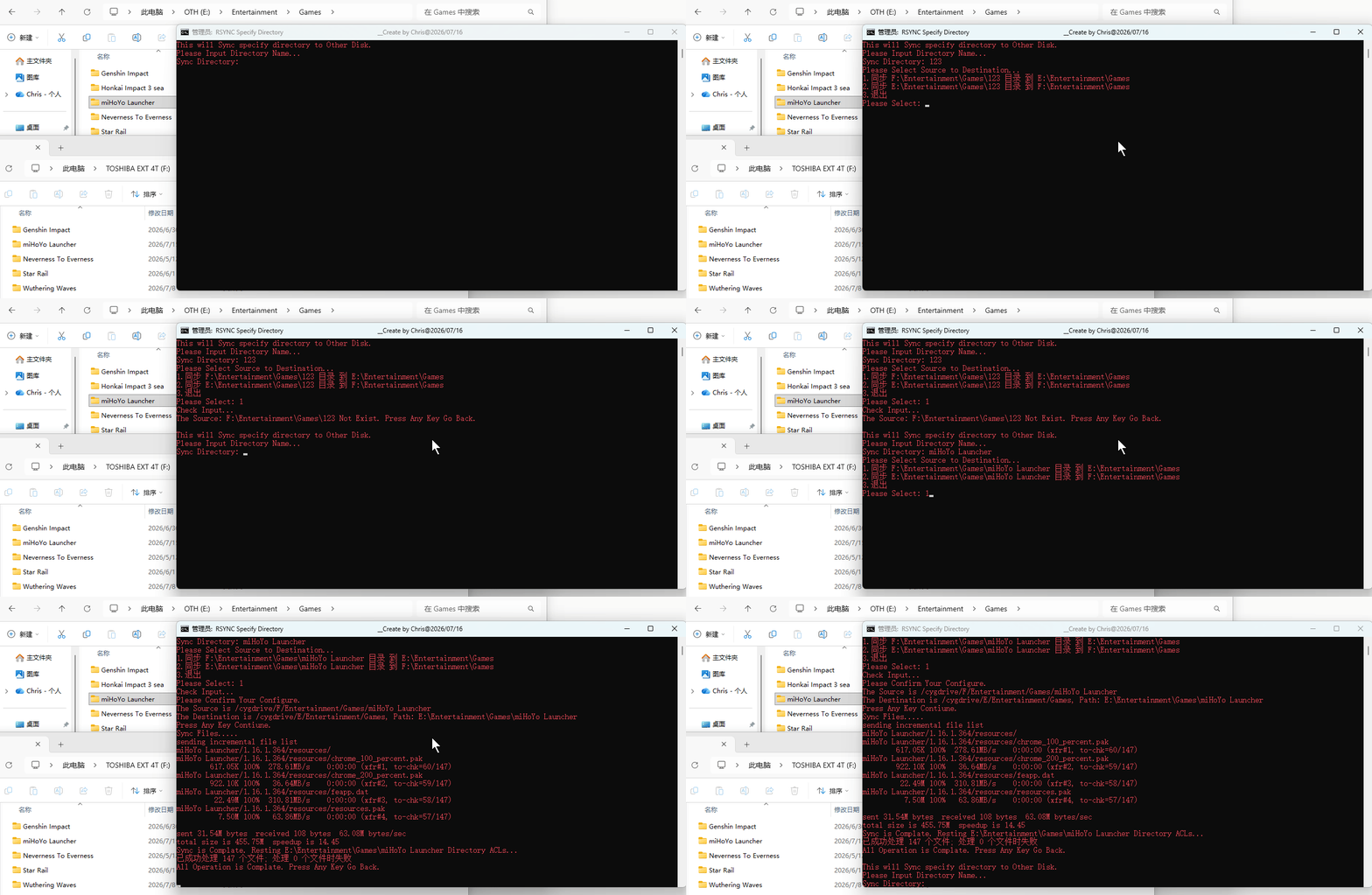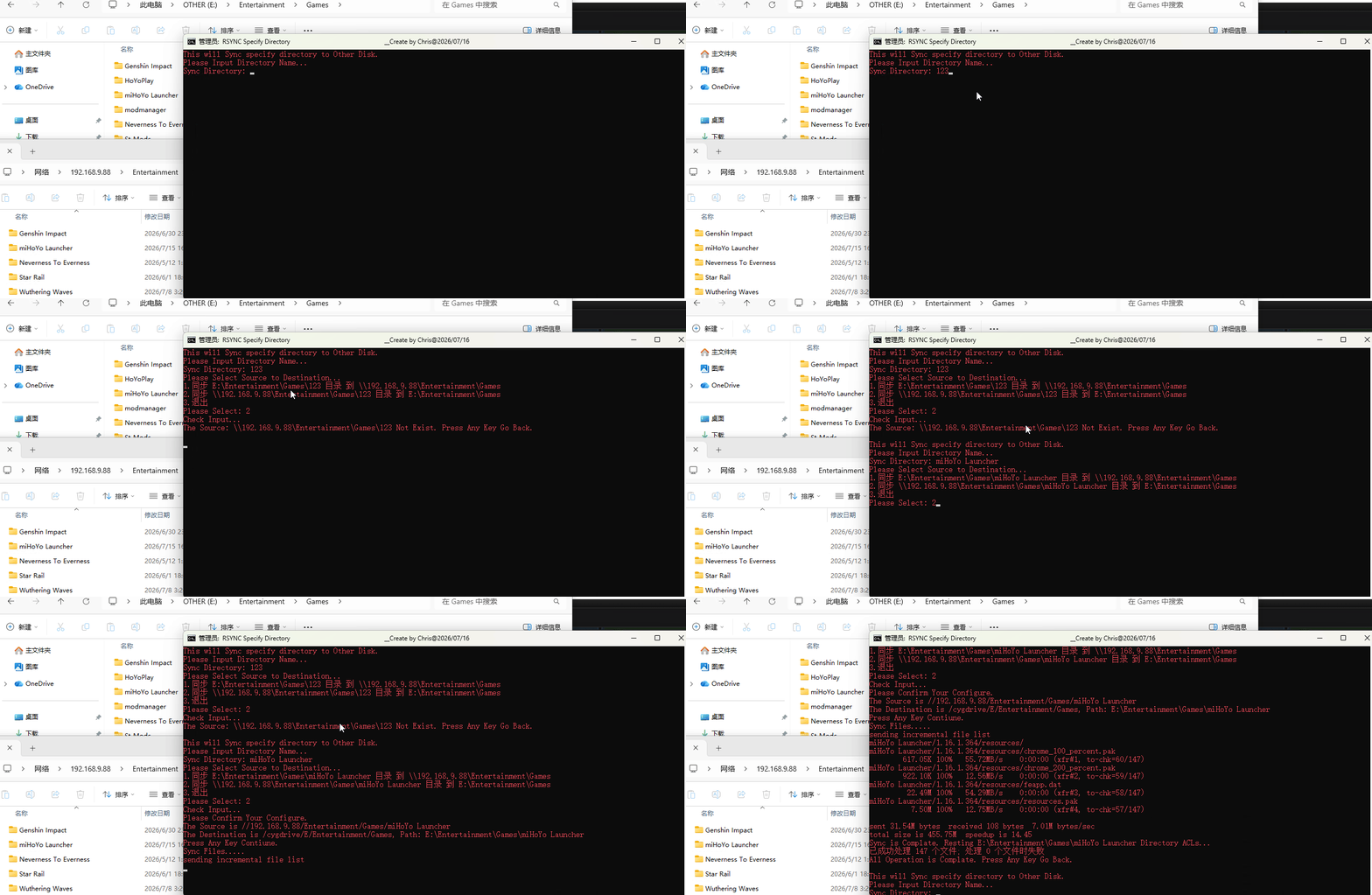
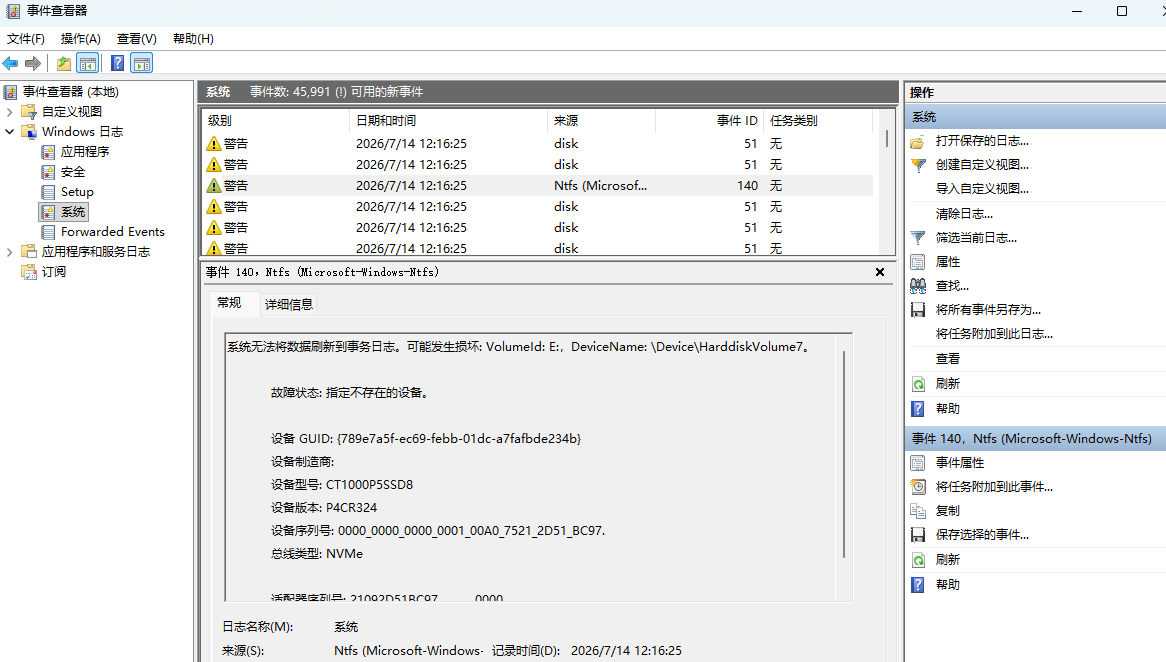
Windows系统更新又出幺蛾子了,半年前就有大量反应特定系统更新补丁包有可能会导致部分型号SSD硬盘在系统中掉盘的情况。没想到当时没中招,反而装26年06月的累积更新倒出现此问题了,台式机的一块三星SSD长时间运行后会机率性出现掉盘情况,重启后又能正常访问,由于使用时间也挻长了还以为是硬件问题,想着用cwRsync来同步备份文件(直接复制耗时太长)。
但新买的笔记本和其新加的三星990EVO PLUS 2T固态也出现了首次掉盘,就怀疑上了最近的更新问题,一查果不其然:
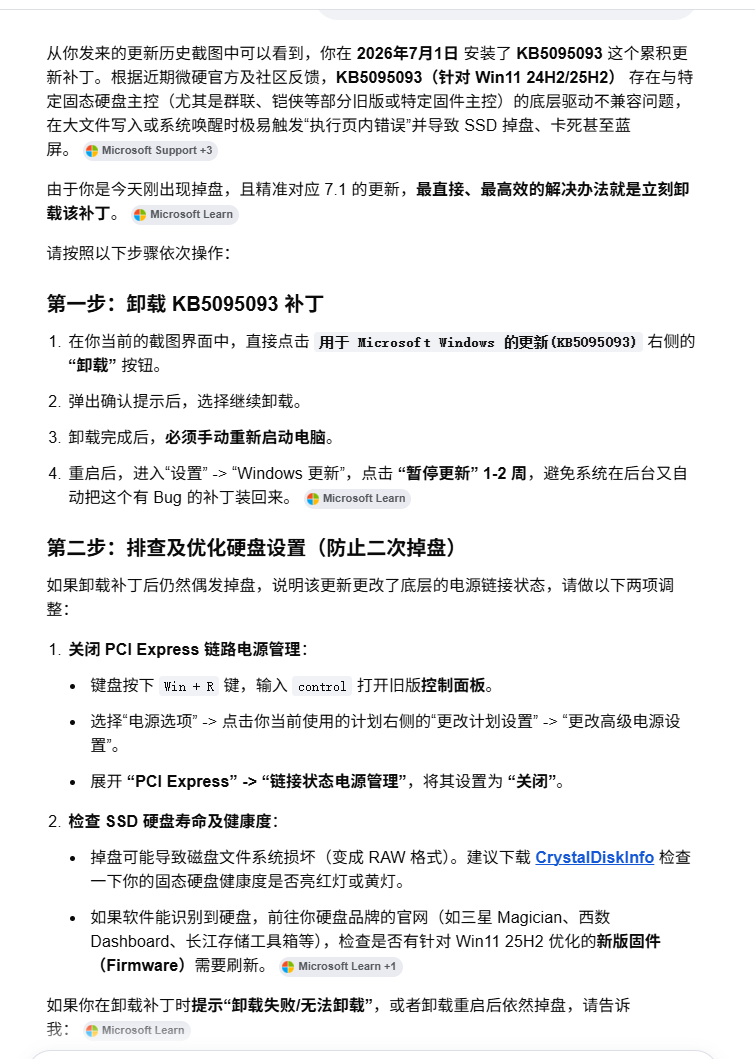
虽然问题找到了,不过同步还是做了下,核心命令如下:
:: 同步目录至指定路径
rsync.exe -rltvPh --delete "Wuthering Waves" /cygdrive/F/Entertainment/Games
:: 重置目录权限,恢复标准Windows继承(清空cwrsync同步后的异常权限)
icacls "F:\Entertainment\Games\Wuthering Waves" /reset /t /c /l /q
为方便执行,把十年前做的脚本拿出来更新升级了下,具体如下:
@Echo Off
Color 0C
Title RSYNC Specify Directory                                                       __Create by Chris@2026/07/16
::<--------------------------------------------------------------------------------------------------->
Echo %RANDOM% > %windir%\Power.pw
If Not Exist %windir%\Power.pw  (
            Echo No Power to Run ,Goto "Run As Administrator"!
            Goto UACPrompt
            )
Call :GotAdmin
Del /f /q  %windir%\Power.pw > Nul 2>&1
::<--------------------------------------------------------------------------------------------------->
Set L=%~d0
Set R=E:
Set Sub_Path=Entertainment\Games
Set cwRsync=D:\PATH\[cwrsync_6.4.8_x64_free]\bin
Set "PATH=%cwRsync%;%PATH%"
::<--------------------------------------------------------------------------------------------------->
:Main
Setlocal EnableDelayedExpansion
Echo This will Sync specify directory to Other Disk.
Echo Please Input Directory Name...
Set /p Sync_Name=Sync Directory:
Echo Please Select Source to Destination...
Echo 1.同步 %L%\%Sub_Path%\!Sync_Name! 目录 到 %R%\%Sub_Path%
Echo 2.同步 %R%\%Sub_Path%\!Sync_Name! 目录 到 %L%\%Sub_Path%
Echo 3.退出
Set /p Num=Please Select:
If !Num! == 1 (
  Set "SRC=/cygdrive/%L:~-0,1%/%Sub_Path:\=/%/!Sync_Name!"
  echo %R% | findstr /i "[a-zA-Z]:" > Nul
  if not errorlevel 1 (
    Set "DST=/cygdrive/%R::=%/%Sub_Path:\=/%"
  ) else (
    Set "DST=%R:\=/%/%Sub_Path:\=/%"
  )
  Set "SRC_Path=%L%\%Sub_Path%\!Sync_Name!"
  Set "DST_Path=%R%\%Sub_Path%\!Sync_Name!"
  Goto Exec
)
If !Num! == 2 (
  echo %R% | findstr /i "[a-zA-Z]:" > Nul
  if not errorlevel 1 (
    Set "SRC=/cygdrive/%R::=%/%Sub_Path:\=/%/!Sync_Name!"
  ) else (
    Set "SRC=%R:\=/%/%Sub_Path:\=/%/!Sync_Name!"
  )
  Set "DST=/cygdrive/%L:~-0,1%/%Sub_Path:\=/%"
  Set "SRC_Path=%R%\%Sub_Path%\!Sync_Name!"
  Set "DST_Path=%L%\%Sub_Path%\!Sync_Name!"
  Goto Exec
)
If !Num! == 3 (
  Exit
) Else (
  Echo Input Error,Just Enter Number. Press Any Key Go Back.
  Echo.
  Pause > Nul
  Goto Main
)
::<--------------------------------------------------------------------------------------------------->
:Exec
Set Num=""
Echo Check Input...
If Not Exist !SRC_Path! (
  Echo The Source: !SRC_Path! Not Exist. Press Any Key Go Back.
  Echo.
  Pause > Nul
  Goto Main
)
Echo Please Confirm Your Configure.
Echo The Source is !SRC!
Echo The Destination is !DST!, Path: !DST_Path!
Echo Press Any Key Contiune.
Pause > Nul

Echo Sync Files.....
rsync.exe -rltvPh --delete --exclude="desktop.ini" "!SRC!" "!DST!"
Echo Sync is Complate. Resting !DST_Path! Directory ACLs...
icacls "!DST_Path!" /reset /t /c /l /q
Echo All Operation is Complate. Press Any Key Go Back.
Echo.
Pause > Nul
Goto Main
::<--------------------------------------------------------------------------------------------------->
:UACPrompt
Echo Set UAC = CreateObject^("Shell.Application"^) > "%temp%\getadmin.vbs"
Echo UAC.ShellExecute "%~f0", "", "", "runas", 1 >> "%temp%\getadmin.vbs"
"%temp%\getadmin.vbs"
Exit
:GotAdmin
If exist "%temp%\getadmin.vbs" ( del /f /q "%temp%\getadmin.vbs"  )
Cd /d "%~dp0"
Goto :Eof
::<--------------------------------------------------------------------------------------------------->
将下载的cwRsync程序解压放到D:\Path下,变量L取的是脚本所在驱动器的盘符,变量R可取另一个盘符,或填写Windows共享路径IP。
执行结果如下: