
最新Animated模型很火,自己也看样子重做了一个,样式与之前大不一样,按功能块区分,将输入放在一起,可按最短边自动调整缩放图像。
工作流样子如下:
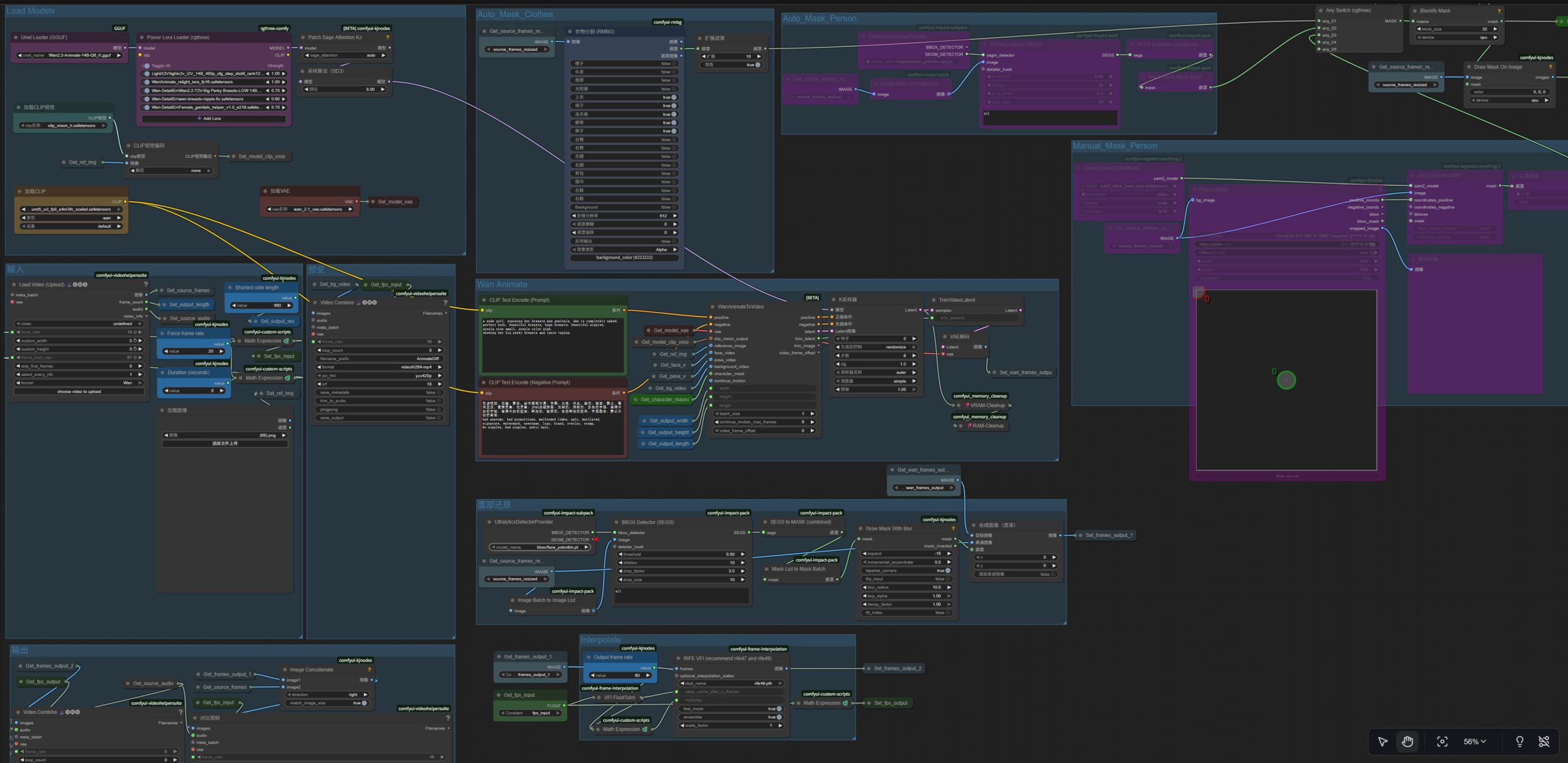
工作流说明:
参考运行时间:
RTX4060 8GB vRAM + 32G RAM(disable facereplace): 101fps x 496×896: Prompt executed in 00:14:24
RTX4070Ti Super 16GB vRAM + 32G RAM: 141fps x 560×992: Prompt executed in 00:11:36
RTX5080 laptop 16G vRAM + 64G RAM: 141fps x 560×992: Prompt executed in 00:12:44
所需资源:
Models:
– Wan2.2-Animate-14B(GGUF), Put in: ComfyUI\models\unet
https://huggingface.co/QuantStack/Wan2.2-Animate-14B-GGUF/resolve/main/Wan2.2-Animate-14B-Q6_K.gguf
Same with other version:
– umt5_xxl_fp8_e4m3fn_scaled.gguf (CLIP) Put in: ComfyUI\models\text_encoders
– wan_2.1_vae.safetensors (VAE) Put in: ComfyUI\models\vae
– clip_vision_h.safetensors (CLIP_VISION) Put in: ComfyUI\models\clip_vision
– Optional Loras; Put in: ComfyUI\models\loras\
https://civitai.com/models/1789152
https://civitai.com/models/1434650
ComfyUI Nodes:
– rgthree-comfy
– ComfyUI-KJNodes
– ComfyUI-VideoHelperSuite
– ComfyUI-Frame-Interpolation
– ComfyUI-GGUF
– comfyui_controlnet_aux
– comfyui-custom-scripts
– comfyui-impact-pack
– comfyui-impact-subpack
– comfyui-rmbg
– comfyui-segment-anything-2
– Comfyui-Memory_Cleanup